
Technology
Top 10 Free Data Recovery Software for Windows [2024]

![Top 10 Free Data Recovery Software for Windows [2024]](https://www.mixedgals.com/wp-content/uploads/2024/09/Top-10-Free-Data-Recovery-Software-for-Windows-2024.jpg)
Data loss on Windows PC due to accidental deletion, formatting, virus attacks, or any other reason can put you in trouble. Luckily, there are many free data recovery software and manual methods available online that you can try to restore your lost or deleted data. Though manual workarounds are tricky and often difficult to implement, restoring your files using a professional Windows data recovery software is easy. Many of these tools are available in free and paid versions which vary in features.
A free data recovery software allows you to restore your deleted data without additional cost. So if you are looking for a free data recovery software to restore your lost data on Windows PC, then keep reading this article. Here, we will discuss the top 10 free data recovery software for Windows, their features, and many more details. Let’s get started!
Best Free Windows Data Recovery Software to Restore Lost Data
Here are the top 10 free data recovery software for Windows PC which allows you to restore your lost or deleted data without any cost. Just check and compare their features and select the one that best fits your requirements:
01: Stellar Data Recovery Free
Stellar Data Recovery Free is an all-in-one free data recovery software that allows you to restore files lost due to accidental deletion, formatting, virus attacks, etc. You can easily restore files and folders deleted from any internal and external storage devices, including SD cards, USBs, SSDs, and many more. This software allows you to easily restore deleted data of any type, such as photos, videos, documents, emails, etc. in three simple clicks.
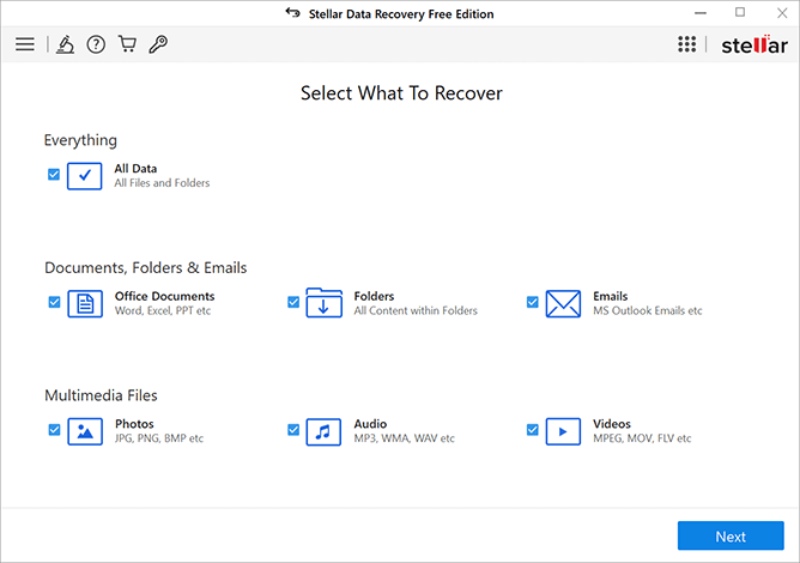
Key Features:
- Recovers up to 1 GB of data for free.
- Retrieves data from formatted, encrypted, or corrupted drives.
- 100% safe and secure software. Also, provides a user-friendly interface.
- Allows you to preview the recoverable files before saving them on your device.
02: Recuva
Recuva is another popular free data recovery software developed by Piriform, that allows you to recover files lost from multiple storage devices. It supports the recovery of data deleted from a variety of storage media, including USB drives, memory cards, and hard drives. The software is mainly known for its user-friendly interface and deep scan feature which allows you to thoroughly scan your storage device.
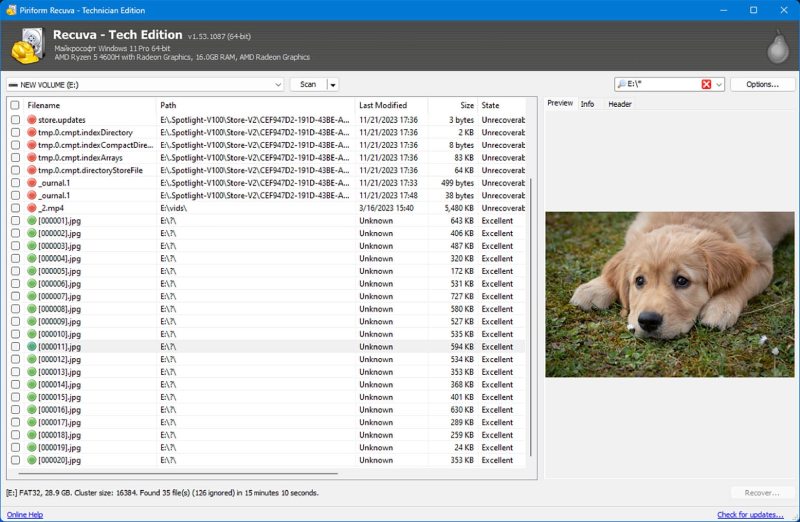
Key Features:
- Supports the recovery of files from damaged or formatted drives.
- The software can safely destroy files, making sure no one else can recover them.
- The software is also available in a portable version which can be directly run from a USB drive, without any computer.
03: Disk Drill
Disk Drill provides a user-friendly interface and supports recovery of files from internal and external hard drives, memory cards, and USB drives. You can use this software to recover files from a variety of storage devices, even from your iOS and Android smartphones. The software is available in multiple paid versions as well, which vary in features and prices.
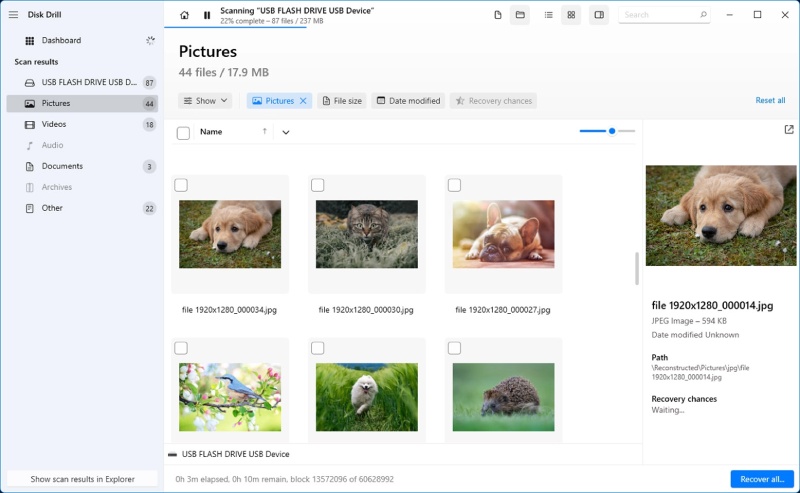
Key Features:
- Recovers deleted files of multiple formats, including documents, photos, and videos.
- Offers quick and deep scanning options for basic and thorough scanning of any storage device.
- The software even supports the recovery of lost or damaged partitions of your storage device.
04: EaseUS Data Recovery Wizard
EaseUS Data Recovery Wizard is a reliable and widely used storage device that can help you recover lost/deleted, or formatted data from various storage devices, including hard drives, USBs, and more. The user-friendly interface of this software enables even non-technical users to restore lost data easily and effectively.
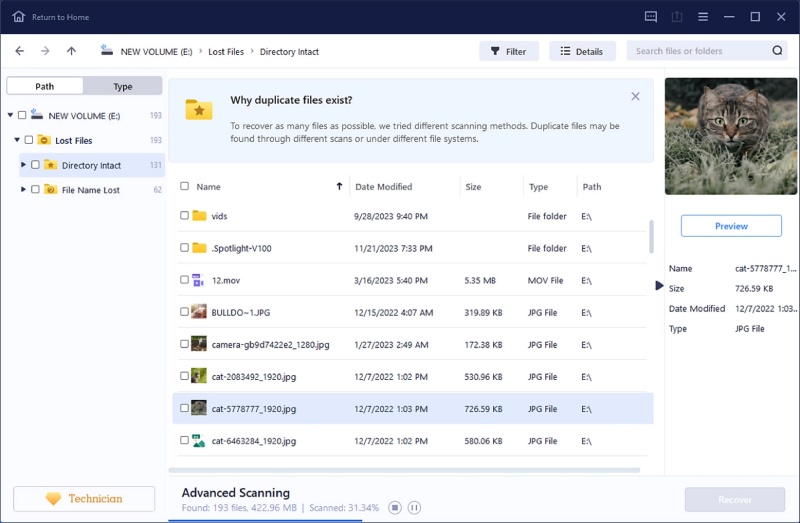
Key Features:
- Recover data deleted due to accidental deletion, formatting, system crashes or malware attacks.
- Offers different scanning options – Quick, Deep, and Comprehensive to assist you in easy recovery of lost data.
- Compatible with various operating systems.
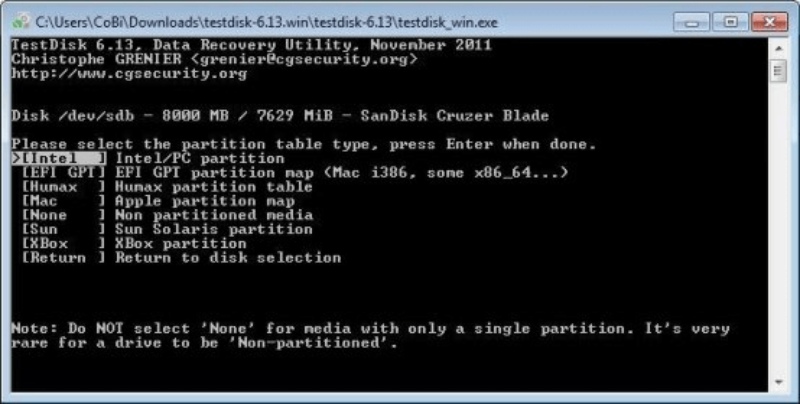
05: PhotoRec
PhotoRec is an open-source free data recovery software that is ideal for recovering lost or deleted data from various storage media. It is designed to recover deleted files of multiple types, including photos, documents, and archives from hard disks, memory cards, etc.
Key Features:
- Recover files from a wide range of storage devices.
- Supports recovery from FAT, NTFS, exFAT, and ext2/ext3/ext4 file systems.
- Supports multiple platforms (Windows, macOS, Linux).
- High success rate in recovering files from damaged or formatted drives.
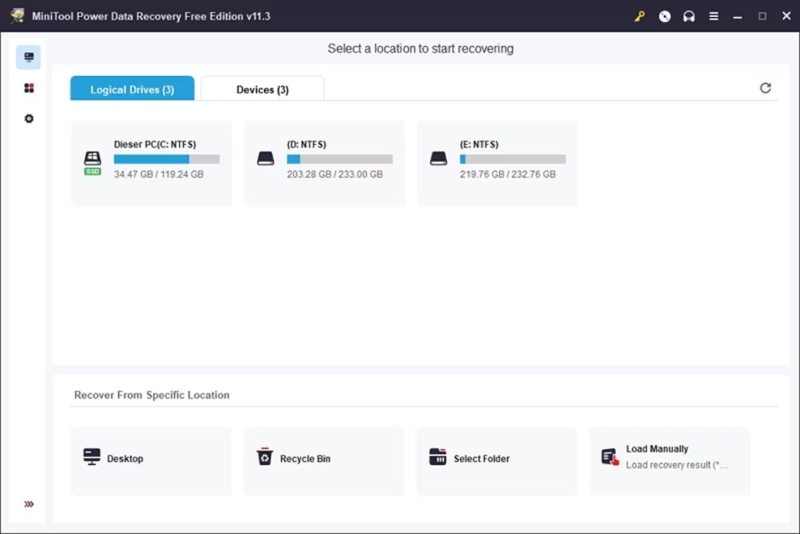
06: MiniTool Power Data Recovery
MiniTool Power Data Recovery software is available in both free and paid versions, where the free version allows you to recover up to 1 GB of data without any additional cost. The software is designed to recover your deleted or lost files using advanced algorithms. In addition, the software allows you to preview the recoverable files before saving them on your device.
Key Features:
- The software provides four different scanning modes, including Fast Scan, Full Scan, Deep Scan, and Lost Partition Recovery.
- User-friendly interface with easy recovery steps.
- Allows you to sort the recovered data either with the file names, size of the files, or as per the modification date.
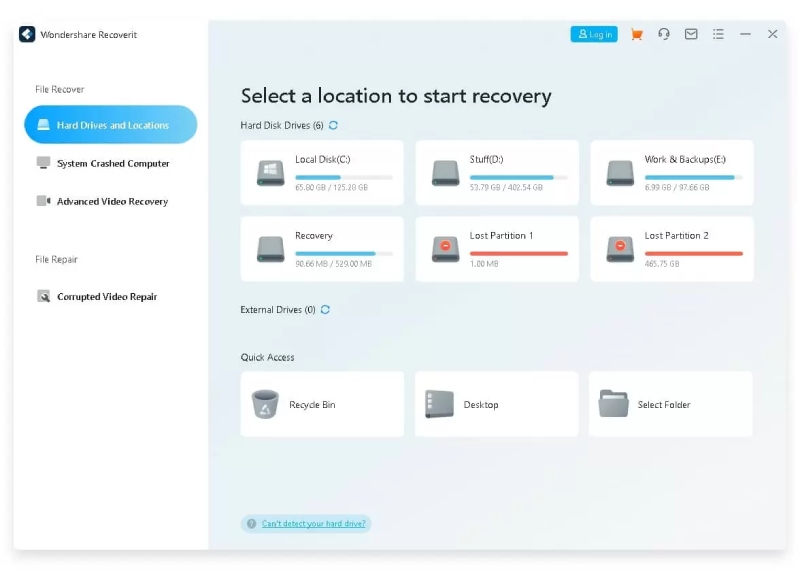
07: Wondershare Recoverit
Wondershare Recoverit is a software which supports the recovery of deleted data in multiple file formats, including photos, videos, documents, and emails. This free data recovery software is known for its ease of use and efficiency.
Key Features:
- Restore data lost or deleted from crashed computers, hard disks, USB flash drives, etc.
- Supports recovery of files deleted due to accidental deletion, computer crash, partition loss, and other reasons.
- The preview feature allows you to preview the recoverable files before saving them on your device.
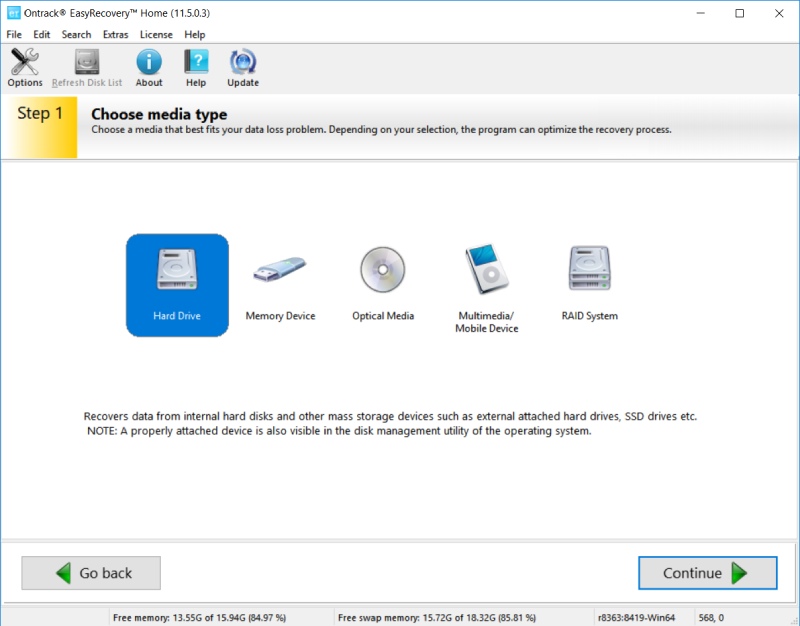
08: Ontrack EasyRecovery
Ontrack EasyRecovery is a simple yet effective free data recovery software for Windows. The software offers a range of recovery options, including recovery from damaged partitions, email recovery, etc. It also allows you to recover data from virtual environments like VMware and Hyper-V, which makes it quite different from other data recovery options.
Key Features:
- Recover lost or deleted files from various storage devices, including hard drives, SSDs, USB drives, and memory cards.
- It supports various file systems, including NTFS, FAT, exFAT, and HFS+.
- The software is designed with an advanced scanning algorithm, which supports recovery of data from damaged, corrupted, or inaccessible drives.
09: TestDisk
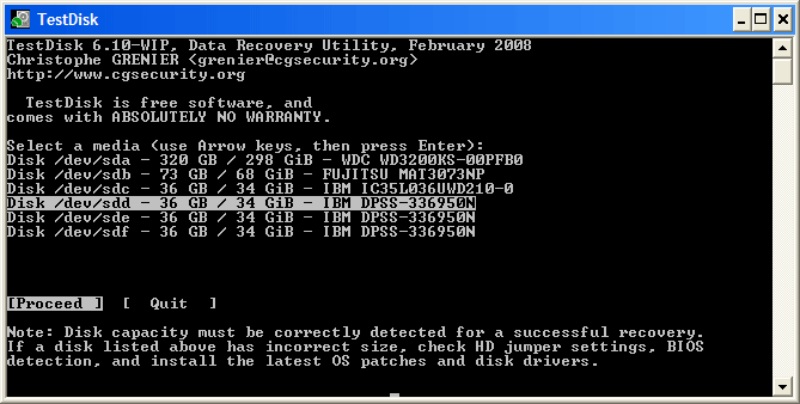
TestDisk is a versatile open-source free data recovery software that can recover lost partitions and repair file systems. This software is designed to get back recover disk partitions or files from non-booting disks.
Key Features:
- Compatible with various operating systems, including Windows, Linux, and MacOS.
- You can even repair storage device’s partitions using TestDisk.
- The Master Boot Record (MBR) can be recovered with TestDisk, which helps retrieve data from corrupted drives.
10: R-Studio
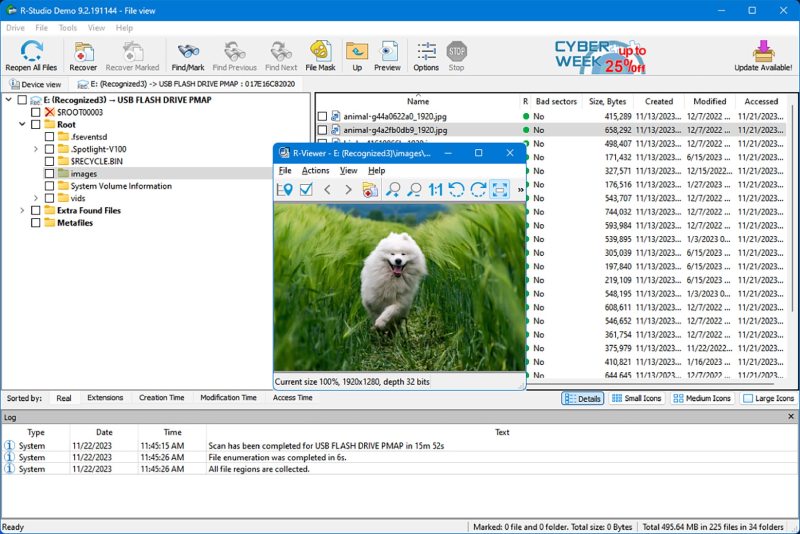
Last but not least in our top 10 free data recovery software for Windows devices is R-Studio, which supports a wide range of file systems and storage devices. The software is mainly known for data recovery from network drives and remote computers.
Key Features:
- Supports recovery of data from multiple platforms including Windows, Mac, and Linux.
- The software supports a variety of RAID configurations for data recovery.
- Using raw file recovery, it can restore data from corrupted partitions, damaged file systems, and formatted drives.
Wrapping Up
Data loss on Windows devices can be frustrating, but with the right data recovery software, it is often possible to recover lost files in windows. The above-mentioned top 10 free data recovery software for Windows in 2024 offer a variety of features to suit different recovery needs. From the simplicity of Stellar Data Recovery Free and the power of Disk Drill to the open-source flexibility of PhotoRec and TestDisk, these tools provide essential solutions for recovering lost or deleted data. Keep in mind that while free software can be effective for small-scale recovery, premium versions may be necessary for more advanced recovery tasks or larger amounts of data.
Technology
Target Company URL Research Tool: A Simple Way to Find Official Company Websites for Free

Have you ever had difficulty finding a company’s official website? It sounds like an easy task, isn’t it? But things change when you have several businesses to research. Searching every company’s official website will consume a significant amount of time, especially when most of them look identical because many businesses share similar-looking names. To solve this problem, people are using tools like the Target Company URL Research Tool. It is designed to facilitate this process. In this article, we will discuss this tool in detail, so keep reading.
What Is the Target Company URL Research Tool?
The Target Company URL Research Tool is a free online tool developed to help users find company websites from business names. The main concept is to make the platform useful for users who have a list of companies but don’t have their domains. You can paste your list, and it will generate a response with potential matches.
Who Can Use It?
This tool is useful for a variety of objectives, such as:
- B2B Sales Teams: Sales teams often require a list of companies as potential customers; finding official websites of their prospects is useful in making pitching them for sales easier.
- Recruiters: Recruiters can utilize this tool to learn about a company’s employers and employment opportunities.
- Market Researchers: Researchers with a large list of companies can use bulk URL lookup to avoid repeatedly searching for individual businesses.
How Does the URL Lookup Work?
Here is a simplified explanation of how the URL lookup works:
- Start by entering company names per line. Make sure to remove duplicates and common legal suffixes such as Inc, Ltd, LLC, PLC, and others to improve matching.
- Initiate the search process and review the search results, such as company name, domain, and match score.
What Does the Match Score Mean?
The match score is an indication of the likelihood of the result matching your requested company details. A high score means a high probability of similarity, whereas a medium or low score means you should inspect the result more carefully.
Careers Page Finder
The Target Company URL Research Tool also has a career page finder feature. Instead of manually visiting a company website, users can enter a company name or domain to receive common career-page URL patterns. It is particularly helpful for job seekers and recruiters.
Brand and Country Directories
Another important feature is a curated company directory organized by industry and country. Users can explore categories such as technology, fintech, gaming, or other industries and explore companies within those categories.
Is the Tool Really Free?
Yes, primarily, Target Company URL Research Tool seems to be a free platform. It also says there is no paid plan for the basic tool. However, tools like Target Company URL Research Tool are not meant to replace a full business-enrichment platform. They are developed to facilitate your research, not replace expert platforms.
Is It Worth Using?
As we have discussed its work and understand what you can do with Target Company URL Research Tool, you must have realized that it is a very specific platform. It is primarily advantageous for business people, job seekers, and researchers.
Frequently Asked Questions (FAQs)
Is the Target Company URL Research Tool Free?
Yes, as of writing, Target Company URL Research Tool is promoted as a free business tool. You should visit their website to know its specific details.
Can it Find the Correct Website for Every Company?
This tool does not guarantee correct matching. There is always a scope of error with digital tools. You should always manually confirm its results before proceeding further.
Can I Export the Results?
Yes, you can export the results, as the tool includes a CSV export option containing the company names, matched names, domains, and scores.
Conclusion
Tools like Target Company URL Research Tool focus on solving business problems, turning company names into website domains by eliminating the need for every business to do it manually. It has useful features and makes searching for companies’ URLs easier. In this article, we discussed this tool in detail and shared relevant information with you. In the end, we hope that you like reading this post and find it informative. If so, then do share this post with others as well.
Technology is evolving faster than expected. It is becoming difficult for everyone, including professionals, students, and everyday users, to keep up with the latest developments and updates in the field of technology. Technology has multiple dimensions, from artificial intelligence to cybersecurity. Each one is progressing very fast, which makes it important to actively learn about them to stay updated. However, reading so many updates seems like a complicated and time-consuming task. Still, platforms like WhatsonTech are trying to make it easy for everyone by covering a wide range of technology-related subjects and sharing them in reader-friendly writing.
Also Read : Snapjotz.com Explained: Exploring the Future of Visual Storytelling and Digital Creativity
What Is WhatsonTech?
WhatsonTech is an online blogging platform, focusing on delivering news, guides, reviews, and informative articles across multiple areas of the tech industry.
Its content commonly includes:
Artificial intelligence
Consumer electronics
Smartphones
Software
Cybersecurity
Gadgets
Digital trends
Instead of focusing solely on technical experts, this platform shares information for a wider audience.
Why Technology Platforms Matter
The technology field is changing rapidly, making it important for everyone to stay updated. Platforms like WhatsonTech help readers to:
Understand new technologies
Compare products
Learn practical skills
Follow industry developments
Make informed purchasing decisions
They share information in simple language, which makes it easily understandable for readers.
Key Features of WhatsonTech
Technology News: This platform primarily focuses on covering multiple technological aspects through its news, such as:
Artificial intelligence
Mobile technology
Consumer electronics
Software updates
Emerging digital trends
Product Reviews: Many technology users actively search for product reviews before purchasing them. Its review content focuses on:
Smartphones
Laptops
Smart devices
Accessories
Software tools
It helps readers make an informed decision about their purchase.
How-To Guides: Practical tutorials are most beneficial for freshers. Generally, they are available on topics like:
Device setup
Troubleshooting
Software tips
Online safety
Productivity improvements
Watching them closely gives you a detailed idea of what process you need to follow.
Industry Insights: Instead of focusing exclusively on products, WhatsonTech also emphasizes covering topics like:
Artificial intelligence adoption
Digital transformation
Cloud computing
Future technologies
Business innovation
Who Can Benefit From WhatsonTech?
WhatsonTech is a general blogging platform and ideal for readers like:
Technology Enthusiasts: Readers who actively want to know about new gadgets, software, and industry developments.
Students: Students can access this platform for researching technology topics or learning about digital innovation.
Professionals: Business professionals are actively required to stay informed about technological changes affecting their industries.
Everyday Consumers: Consumers who want practical advice before purchasing technical products may refer to this website.
Why Technology Conversations Continue to Evolve
Technology conversations are evolving because technology itself is evolving in various areas, including:
Artificial intelligence
Cybersecurity
Remote work technologies
Smart devices
Cloud services
Digital privacy
Tips for Evaluating Technology Information
Here are some practical tips to evaluate technology information:
Whether information is current
Whether sources are cited
Whether reviews remain objective
Whether major claims can be independently verified
Finding answers to these questions will definitely benefit you.
The Future of Technology Media
Technology media is the future of journalism and is likely to replace traditional reporting with innovation in fields like completely:
AI-assisted reporting
Interactive product demonstrations
Personalized technology recommendations
Video-first educational content
Real-time industry analysis
Frequently Asked Questions (FAQs)
What is WhatsonTech?
It is an online blogging platform that primarily focuses on covering technology-related news.
Who Should Read WhatsonTech?
WhatsonTech is a general blogging website and ideal for a wide range of audiences, including Technology enthusiasts, students, professionals, and everyday consumers who want to learn about new technological updates and informed purchasing.
Why Are Technology Websites like WhatsonTech Important?
Websites like WhatsonTech play an important role in increasing technical awareness among people. It makes it easy for their readers to understand complex technological terms.
Conclusion
Technology is growing rapidly and we read thousands of new changes daily. We can’t remember all these updates, and we require a platform that filters out the necessary news and provides it on its website. In the end, we hope you enjoy reading this post and will share it with others.
Technology
Snapjotz.com Explained: Exploring the Future of Visual Storytelling and Digital Creativity
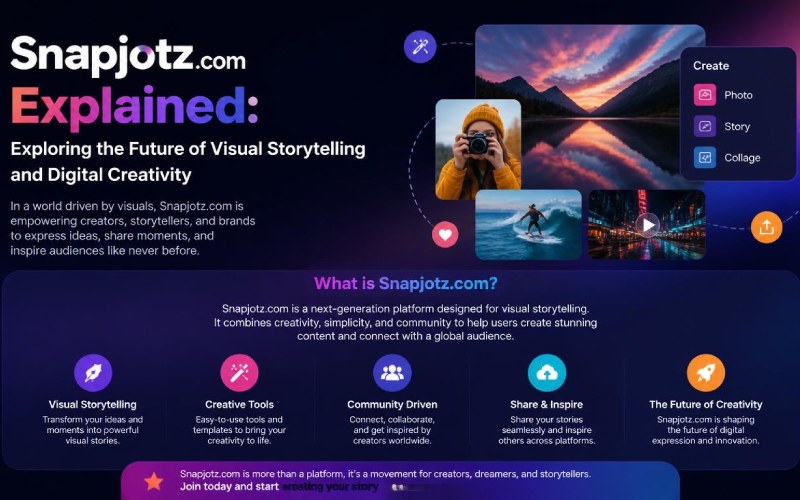
Visual storytelling has become a new way of online communication. It includes a wide range of elements, ranging from photographs, short videos, infographics, to digital art, and more. As the online world is growing, businesses, creators, and everyday users seek new ways to share their stories, leading to the rapid growth of online platforms dedicated to content sharing. One such emerging platform is Snapjotz.com. It is a new and unknown platform that aims to provide a space where visual content, creativity, and storytelling come together. In this article, we will discuss more about this platform, so keep reading.
Also Read : Decoding UAC3600816: The Mystery Behind the Code Everyone Is Talking About
What Is Snapjotz.com?
Snapjotz.com is a digital platform that allows users to share visual content and promote online storytelling. Instead of solely focusing on articles, it provides a content mix of:
Photography
Images
Creative visuals
Digital storytelling
Informative media
Visual inspiration
Why Visual Storytelling Matters
Visual information is easy to remember and lasts longer than simple text.
Visual storytelling helps:
Capture attention quickly
Explain complex ideas
Improve audience engagement
Create emotional connections
Increase content sharing
Key Features of Snapjotz.com
Visual-First Content
The platform focuses on imagery content as the primary communication tool.
Content may include:
Photo collections
Visual articles
Graphic content
Creative media
Creative Storytelling
Instead of simply displaying images, visual storytelling combines photographs with content, allowing creators to communicate experiences, ideas, or information more effectively. It creates a richer experience for readers.
User-Friendly Navigation
The website has a user-friendly interface, which is easy to navigate and helps users:
Discover new topics
Browse visual collections
Explore featured content
Find relevant categories
Inspiration for Content Creators
Visual platforms also provide different ideas to content creators and work as an idea hub for:
Photographers
Bloggers
Graphic designers
Social media creators
Digital marketers
Who Can Benefit from Snapjotz.com?
The platform Snapjotz.com is ideal for a wide range of audiences, which typically includes:
Photographers: This platform contains creative images that can give photographers new and innovative ideas.
Bloggers: Writers can learn how to enhance articles using visual elements/
Digital Marketers: Today, businesses rely on visual content to improve engagement across websites and social media platforms because it supports brand growth.
Students and Educators: Educational content is improving rapidly and becoming more engaging, making learning easier than ever before.
Why Visual Content Continues to Grow
Visual content is continuing to grow at a rapid speed because of several reasons, some of the primary ones are as follows:
Social media growth
Mobile-first browsing
Shorter attention spans
Improved camera technology
Easier content creation
Tips for Effective Visual Storytelling
Here are some things you should follow to make your visual storytelling impactful:
Choose High-Quality Images: You should only use clear, well-composed visuals because they immediately attract attention.
Tell a Story: Images can bind thousands of words if used properly.
Maintain Consistency: Using a consistent visual helps people identify it as your content.
Focus on Authenticity: Authenticity plays a crucial role in forming a strong connection with the audience.
Things to Consider
You should never trust any platform blindly, and Snapjotz.com is not an exception.
Verify important information from reliable sources.
Respect copyright when using images.
Protect personal privacy when sharing content.
Follow community guidelines and platform policies.
The Future of Visual Storytelling
Technology is growing rapidly, and it is reshaping digital creativity.
Emerging developments include:
Artificial intelligence-assisted editing
Interactive visual experiences
Immersive multimedia content
Improved mobile creation tools
Frequently Asked Questions (FAQs)
What is Snapjotz.com?
Snapjotz.com is an online platform that promotes storytelling, creative content, and image-driven digital experiences.
Who Can Use Snapjotz.com?
Snapjotz.com may be generally used by photographers, bloggers, marketers, students, educators, and anyone interested in visual content, who may find the platform useful.
Why is Visual Storytelling Important?
Visual storytelling makes your content impactful, and it adds depth to your content.
Conclusion
Snapjotz.com is a new-age online platform that is developed around the growing importance of visual communication in today’s digital world. In this article, we discussed this platform in detail and shared relevant information with you. In the end, we hope that you like reading this post and will share your feedback with us.


How Developers Can Use Guest Posts to Build Their Professional Presence

Kinky Cubes Review: Are These Couples Gummies Worth Considering?

Staying Updated on the Latest Game Releases and Industry News

Best Kickass Proxy List 2024 – 100% Working to Unblock to Access

Banging The Underdog Incident 2022

TamilRockers Proxy 2025: 20+ Working Links, Mirror Sites & VPN Guide
-
Entertainment2 years ago
Best Kickass Proxy List 2024 – 100% Working to Unblock to Access
-
 Lifestyle2 years ago
Banging The Underdog Incident 2022
-
Entertainment2 years ago
TamilRockers Proxy 2025: 20+ Working Links, Mirror Sites & VPN Guide
-

 Fashion2 years ago
Trendy Midi Dresses for Casual Wear: Hair Care Tips Included!
-
 Entertainment2 years ago
TamilMV Proxy Sites List 2025 – How to Unblock TamilMV Safely?
-

 Piano2 years ago
How Online Piano Lessons Can Enhance Your Musical Skills?
-
 Entertainment2 years ago
Pirate Bay Proxy List 2025: Access The Pirate Bay Safely
-

 Technology2 years ago
SSIS 469 – Detailed Guide to Understand The Features and Benefits